
Most invoice problems are not dramatic. They are small details: the wrong billing name, a missing purchase order number, a vague line item, a total that does not match the quote, or a payment instruction that is buried at the bottom. Each issue creates friction. Friction delays payment.
This checklist is designed for small businesses, freelancers, agencies, consultants, and service providers who want a practical review process before sending an invoice. You can use it whether you create invoices in Quick Invoice Tool, a spreadsheet, accounting software, or another system.
Key takeaways
- Review the invoice before sending, not after the client asks questions.
- Check identity, dates, line items, totals, tax labels, and payment instructions.
- Match the invoice to the quotation or agreement when possible.
- Save the final PDF and supporting documents for your records.
- If tax or compliance rules apply, verify them with official sources or an advisor.
The 10-minute invoice review
Use this quick review before every client invoice.
| Area | What to check | Why it matters |
|---|---|---|
| Client details | Legal name, billing address, contact | Wrong entity details can cause rejection |
| Invoice identity | Number, issue date, due date | Helps tracking and payment processing |
| Work details | Specific line items and date ranges | Reduces questions and disputes |
| Pricing | Quantity, rate, subtotal | Prevents math corrections |
| Adjustments | Taxes, discounts, service charges | Makes totals transparent |
| Payment | Bank details, payment link, reference | Makes payment easy |
| Records | Save PDF and related quote | Protects your paper trail |
1. Confirm the client billing details
The person who approved the work may not be the legal billing entity. Before sending, confirm:
- Client legal name
- Billing address
- Contact person or accounts payable email
- Purchase order number, if required
- Vendor ID, if the client assigned one
If you are invoicing a larger company, missing PO or vendor details can delay payment even when everything else is correct.
2. Check the invoice number
Every invoice should have a unique number. A simple numbering system makes records easier to manage and helps clients reference the invoice when paying.
Good examples:
INV-2026-00422026-042ACME-2026-014
Avoid reusing numbers or changing formats randomly. If you need help choosing a system, read the invoice numbering guide.
3. Review invoice date and due date
The invoice date tells the client when the document was issued. The due date tells them when payment is expected. Use a specific due date whenever possible.
Instead of only writing:
Net 14
Write:
Net 14 - due May 26, 2026
This is clearer for clients, bookkeepers, and payment systems.
4. Match the invoice to the approved work
If the client approved a quotation, proposal, or scope of work, the invoice should match it closely. Check:
- Same project name
- Same agreed price
- Same currency
- Same milestone or phase
- Same tax treatment, if applicable
If something changed, explain it in the notes. For example: "Includes approved change request CR-03 for additional revisions."
5. Make line items specific
Vague line items are one of the fastest ways to create follow-up questions.
| Weak line item | Better line item |
|---|---|
| Design work | Landing page UI design - final desktop and mobile screens |
| Consulting | Strategy workshop - 2 hours, May 10 |
| Monthly service | Website maintenance retainer - May 2026 |
Specific line items help the client approve the invoice without asking what the charge means.
6. Check totals carefully
Before sending, verify:
- Quantity multiplied by rate equals line total
- Subtotal matches all line totals
- Discount is applied correctly
- Tax is calculated correctly, if applicable
- Total due is clear
If taxes apply, show the tax name and rate. If you are unsure whether you should charge tax, check official local guidance or ask a qualified advisor.
7. Add clear payment instructions
Payment instructions should be easy to find. Include:
- Payee name
- Bank or payment method
- Account details or payment link
- Payment reference
- Due date
Use the invoice number as the payment reference when possible. It makes reconciliation easier.
8. Add notes only when useful
Notes should help the client, not clutter the invoice. Good notes include:
- Thank-you message
- Payment reference instructions
- Scope or milestone reference
- Deposit or partial payment context
- Contact email for questions
Avoid long legal wording unless it is part of your agreement. If terms matter, make sure the client saw them before the invoice stage.
9. Preview the PDF
Before sending, open the PDF preview and check:
- Logo is not distorted
- Text is readable
- Page breaks look acceptable
- Long notes do not push important totals onto a confusing page
- Currency symbols and totals display correctly
Quick Invoice Tool lets you preview the invoice before download. You can start from the invoice generator or choose a layout from invoice templates.
10. Save the final record
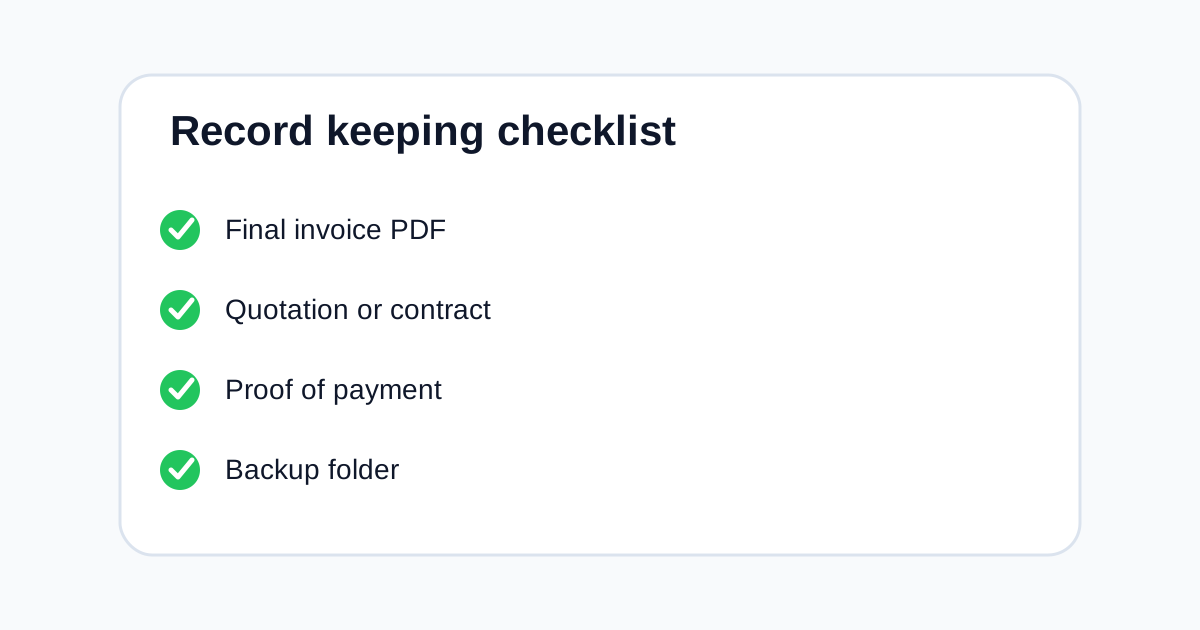
After you send the invoice, store:
- Final invoice PDF
- Related quotation or proposal
- Client approval, if available
- Proof of delivery
- Payment confirmation when paid
This habit matters for bookkeeping and dispute prevention. For a deeper guide, read how to keep invoice records.
Common mistakes to avoid
- Sending to the wrong billing email
- Using a reused invoice number
- Leaving payment instructions incomplete
- Forgetting a client PO number
- Mixing quotation and invoice numbers
- Sending a draft instead of final PDF
- Using unclear item descriptions
- Forgetting to save a copy
FAQ
Should I send an invoice as PDF?
PDF is a good default because it preserves layout and is easy to email. Some clients may require portal submission or structured e-invoices, so follow client and local requirements.
Should I include a due date?
Yes. A specific due date is clearer than payment terms alone.
What if I made a mistake after sending?
Tell the client quickly, void or correct the invoice according to your process, and keep a record of what changed.
Can I use the same checklist for quotations?
Most of it applies, but quotations should focus more on scope, validity period, assumptions, and approval terms.
Where can I create the invoice?
You can use the builder to create and download a PDF invoice, then review this checklist before sending.
Final thought
A strong invoice checklist is not bureaucracy. It is a simple habit that reduces payment delays and protects your records. Spend a few minutes checking the details before you send, and you will spend less time chasing corrections later.