
If you’re running a small business or freelancing, it’s easy to mix these documents up—especially when you’re moving fast.
You finish work, you send a document, the client pays, and later you realize you used the wrong word (or the wrong file). A client then asks, “Is this an invoice or a receipt?” and suddenly you’re rewriting paperwork instead of doing paid work.
This guide explains the difference between an invoice, a receipt, and a quotation in plain language, with real scenarios and simple checklists.
The short answer (in one sentence each)
- Quotation (Quote): A document you send before work begins to propose price and scope.
- Invoice: A document you send after (or during) work to request payment.
- Receipt: A document you send after payment to confirm money was received.
If you remember only one thing, remember the timeline: quote → invoice → receipt.
What is a quotation (and when do you use it)?
A quotation (often called a quote or estimate) is a document that sets expectations before you start.
A good quotation includes:
- Your business details and the client’s details
- A quotation number (optional but helpful)
- The scope (what’s included and what’s not)
- Pricing (fixed fee or hourly rate)
- Assumptions (what you need from the client)
- Validity period (for example, “Valid for 14 days”)
- Payment schedule (deposit, milestones, or on completion)
A quotation is not a demand for payment. It’s an offer the client can accept.
Why quotations matter
Quotations reduce disputes because they become the reference point when someone asks:
- “What exactly did we agree to?”
- “Was revision round 3 included?”
- “Why is this line item on the invoice?”
If you invoice without a clear quote, the invoice often becomes the first time the client really thinks about scope and price. That’s when delays start.
What is an invoice (and when do you use it)?
An invoice is a request for payment for work delivered or a milestone reached.
A good invoice includes:
- Invoice number (unique)
- Invoice date and due date
- Client billing details
- Clear line items (what you delivered)
- Subtotal, tax (if applicable), total due
- Payment instructions (bank details, payment link)
- References (purchase order number, project code, quotation number)
An invoice is a business document that your client’s accounts team can process. In 2026, that matters because the person paying is often not the person you worked with.
When to send an invoice
Common timing patterns:
- On completion: after delivery
- Upfront deposit: before starting (often 30–50%)
- Milestones: at agreed checkpoints
- Recurring: monthly retainers
Your quote should clarify the timing so the invoice doesn’t surprise the client.
What is a receipt (and when do you use it)?
A receipt is proof of payment. It confirms that you received money.
A receipt typically includes:
- Receipt number (optional)
- Date payment was received
- Amount received and currency
- Payment method (bank transfer, card, cash)
- What it relates to (invoice number)
Some businesses don’t issue receipts unless asked. Others issue them automatically. The important part is that receipts come after payment.
How these documents work together (a simple workflow)
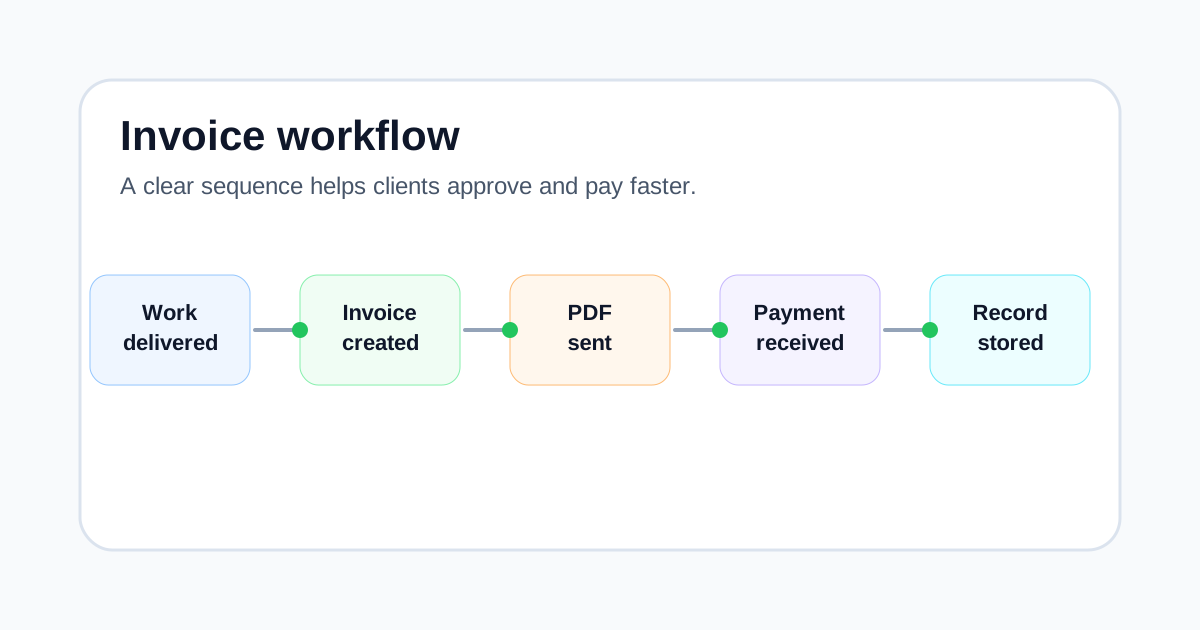
A clean workflow for many freelancers and SMEs looks like this:
- Send a quotation for approval.
- Start work once it’s approved (and deposit is paid if applicable).
- Send an invoice based on what was approved.
- Receive payment.
- Issue a receipt (or payment confirmation) referencing the invoice.
This workflow is simple, but it prevents most “paperwork confusion” problems.
Real scenarios (what to send, and why)
Scenario 1: A client asks for a price before deciding
You’re a photographer. A client asks for pricing for an event.
Send: Quotation
Why: They haven’t agreed to buy yet. A quote lets them approve scope and price.
Scenario 2: You completed the work and need to get paid
You delivered the edited photos and the client is happy.
Send: Invoice
Why: You’re requesting payment for delivered work. Include a due date and payment details.
Scenario 3: The client pays and asks for proof
The client pays by bank transfer and needs proof for their accounting.
Send: Receipt (or payment confirmation)
Why: Their finance team needs evidence the invoice was paid.
Scenario 4: A deposit is required
You’re a web designer and want 40% upfront.
Send: Quotation (with deposit terms) → then Invoice for the deposit
Why: The quote sets the rules; the invoice is the request for money.
Scenario 5: A client wants a “receipt” but they haven’t paid
This happens a lot. Clients sometimes call invoices “receipts.”
If they haven’t paid: send (or re-send) the Invoice.
If they have paid: send a Receipt referencing the invoice number.
What to label your PDF (practical naming)
Small detail, big impact: label the PDF clearly.
- Quote:
Quotation QUO-2026-001 - ClientName.pdf - Invoice:
Invoice INV-2026-001 - ClientName.pdf - Receipt:
Receipt REC-2026-001 - INV-2026-001.pdf
Clear filenames reduce back-and-forth.
Common mistakes (and how to avoid them)
Mistake 1: Using “invoice” when you mean “quotation”
If you send an invoice before the client approves a price, you can create resistance.
Fix: Send a quotation first, then invoice once approved.
Mistake 2: Issuing a “receipt” before payment
A receipt is proof payment happened. Issuing it early confuses records.
Fix: Only issue receipts once you have money.
Mistake 3: Not referencing the quotation on the invoice
If the invoice doesn’t reference the quotation, clients can dispute line items.
Fix: Add “Reference: QUO-2026-001” on the invoice.
Mistake 4: Mixing document numbers
Quote numbers and invoice numbers should be different series.
Fix: Use prefixes (QUO / INV / REC) to keep records tidy.
Where an invoice generator and quotation generator help
When you’re busy, the biggest risk is inconsistency: missing due dates, vague line items, reused numbers, and unclear labels.
A simple invoice generator helps you produce consistent invoices with the same structure every time (invoice number, due date, line items, totals). A quotation generator helps you standardize quotes and make sure scope and pricing are written clearly before you start.
The goal isn’t fancy features—it’s fewer admin mistakes and fewer payment delays.
Practical example: one client project from quote to receipt
Imagine a freelance designer preparing a brand refresh for a local business.
- The designer sends a quotation for the agreed scope: logo cleanup, color palette, and one-page brand guide.
- The client approves the quotation by email before work begins.
- When the project is delivered, the designer sends an invoice that references the quotation number and repeats the approved line items.
- After payment arrives, the designer saves the bank confirmation and sends a receipt if the client requests one.
This simple sequence creates a clear paper trail. The client can see what was proposed, what was billed, and what was paid. If a dispute happens later, both sides have the same reference points.
Quick document label checklist
Before sending any business document, check the label first:
| Situation | Best document to send | Helpful link |
|---|---|---|
| Client asks for pricing before approving work | Quotation | Create a quotation |
| Work is complete and payment is due | Invoice | Create an invoice |
| Payment has already been received | Receipt | Read more invoice guides |
| You need a reusable layout | Template | Browse templates |
Keeping these labels consistent is a small habit, but it makes your business look more organized.
FAQ
Is a quotation legally binding?
A quotation can become binding if the client accepts it (especially in writing) and you deliver based on those terms. The practical best step is to get written approval and keep a record.
Can I invoice without a quotation?
Yes, but it’s riskier. Without a quote or written agreement, invoices are more likely to be questioned or disputed.
Is an invoice the same as a bill?
In everyday language, yes. “Invoice” is the formal term; “bill” is the casual term.
Do I need to issue receipts?
It depends on your country, industry, and client expectations. Many businesses issue receipts on request, especially for cash payments. For bank transfers, some clients treat the bank record as proof, but a receipt is still useful.
What should I do if a client asks for a receipt but hasn’t paid?
Clarify politely: “Happy to send a receipt once payment is received. For now, here’s the invoice with payment details.”
Should my invoice match my quotation exactly?
Ideally yes. If scope changed, document the change and update the quote (or get written approval) so the invoice doesn’t look like a surprise.
What’s the difference between a proforma invoice and an invoice?
A proforma invoice is usually an estimate-style document used before payment, especially in international trade. A standard invoice is the official request for payment.
Can I use the same number for a quote and invoice?
Avoid it. Use separate sequences so your bookkeeping stays clean.
Is an estimate the same as a quotation?
In most industries, yes. "Estimate" is the common term in the United States, while "quotation" is more common internationally. Both describe pricing given before the work starts. The practical difference is tone rather than law: an estimate signals an approximate figure that may move, while a quotation usually implies a firmer price. If the number could change, say so in writing and explain what would cause it to change.
When should I send a quotation?
Send a quotation before any work begins, so the client can approve the price, the scope, and the terms in advance. A quotation that arrives after work has started invites disputes, because the client has already incurred a cost they never agreed to.
When should I send an invoice?
Send an invoice once you have delivered the goods or completed the agreed work and you are ready to be paid. If a project runs over several months, invoice at agreed milestones rather than waiting until the end — it protects your cash flow and gives the client smaller, more predictable bills.
Conclusion
Quotations set expectations, invoices request payment, and receipts confirm payment. If you keep the timeline clear and label documents consistently, you’ll avoid most confusion—and you’ll make life easier for your clients’ finance teams.
If you want a simple way to create professional invoices, Quick Invoice Tool makes it easy to do that in minutes.